
Phone Repair
Phone Won't Turn On Repair | Causes & Local Fix Guide
Learn why your phone won't turn on and how professional phone repair in Preston can safely fix the issue, restore your device, and protect your precious data.
Is Your Phone Completely Dead? Understanding the Symptoms
We all know that sudden feeling of panic. You reach into your pocket or bag, press the power button, and your screen stays completely blank.
It is incredibly stressful when your main connection to work, family, and daily life suddenly stops responding. A dead smartphone can leave you feeling instantly stranded and out of the loop.
Before you start worrying about the cost of a brand-new device, it is important to take a deep breath. Looking closely at what your phone is actually doing is the first step to sorting it out.
When you find yourself needing a phone won't turn on repair, the specific signs your device shows can vary wildly. Understanding these symptoms helps determine if the device is truly dead or just acting up.
Sometimes, the phone gives absolutely zero response. You can hold down the power button for a full minute, but there is no vibration, no startup chime, and no glowing logo.
Other times, your phone might actually be awake, but it is hiding it well. You might hear your morning alarm ringing or feel a familiar buzz when a message arrives, but the display remains entirely dark.
This specific issue leaves many people desperately looking for a reliable black screen of death fix. It usually means the phone is actively running in the background, but the screen panel itself is not displaying anything.
Another highly frustrating symptom is when the phone tries to wake up but simply cannot finish the process. You might see the manufacturer logo flash on the screen briefly, only for the device to immediately shut itself down again.
Then there is the charging mystery. You plug your device into the wall, expecting the familiar battery percentage to appear, but you are left dealing with a phone not charging or turning on at all.
If your device has a small notification light, pay close attention to it. A slow blinking red or amber light often means the battery is completely drained and simply needs a bit of uninterrupted time to gather power.
However, if there are absolutely no signs of life after leaving it plugged in for a good hour, the issue likely goes a bit deeper than a standard flat battery.
Knowing exactly how your device behaves is incredibly helpful. It stops the guesswork and helps technicians understand exactly what they are dealing with from the moment they look at it.
If you are feeling overwhelmed by a broken device, browsing our mobile phone repair services can reassure you about how quickly these stressful faults are usually resolved.
Whether your device is completely silent, stuck on a startup screen, or vibrating with a blank display, the situation is rarely as hopeless as it first seems.
By taking a moment to identify these exact symptoms, you are already one step closer to getting back online. You can also read our repair blog for more helpful guides on understanding your everyday tech.
Now that you know exactly what your phone is doing, it is time to look at the underlying reasons behind these frustrating symptoms.
Common Reasons Why Your Phone Will Not Turn On
Once you have identified the exact symptoms of your dead device, the next natural step is to figure out the actual cause. A completely blank screen rarely happens without a specific reason.
There is almost always a clear underlying fault explaining why your device is refusing to wake up. For most people, the issue usually falls into one of a few common categories.
The most frequent culprit we see is simply an exhausted or failed battery. Mobile phone batteries are chemical components that naturally degrade over time and through constant, everyday use.
Every time you plug your device into the wall, it goes through a charging cycle. As explained by the repair experts at iFixit, these constant charging cycles eventually wear the battery down until it can no longer hold enough power to boot up the system.
When the chemical health drops too low, the power cell might completely fail. When this happens, you will likely need a professional phone battery replacement to safely bring the device back to life.
If the battery health is perfectly fine, the issue might actually lie with the charging port itself. Pocket lint, dust, and daily dirt easily get compacted inside this tiny opening over months of normal use.
When the charging port is blocked by tightly packed debris, the metal pins cannot connect with your charging cable. Your phone simply runs out of power because the electricity literally has no physical way to get inside the device.
Another very common, and highly stressful, cause is liquid exposure. It is important to remember that you do not need to drop your device in a swimming pool to cause serious internal issues.
Steam from a hot bathroom, a spilled drink on your desk, or even walking through heavy rain can allow moisture to seep inside. A water damaged phone won't turn on because the liquid creates electrical shorts that instantly shut down the delicate internal components to prevent fires.
Sometimes, the hardware is completely intact, but the device suffers from a major software crash. This frustrating issue often happens when a system update gets interrupted or a rogue application completely freezes the operating system.
In these software scenarios, the phone is physically healthy, but the internal system is simply too confused to finish the startup process. It essentially gets stuck in a loop and gives up.
Finally, physical impact from a nasty drop can cause invisible internal damage. Dropping your phone onto a hard surface might leave the glass screen perfectly intact, but the shockwave can easily dislodge a vital internal battery connection.
A harsh drop can also damage the motherboard, which acts as the main brain of your mobile device. If this central brain is damaged, it simply cannot send the required signals to power on the screen or read the battery.
Resolving these complex internal hardware issues requires precise diagnostics and quality replacement parts to ensure the device runs smoothly and safely long after it leaves the workshop.
Pinpointing the exact cause of the failure is the most crucial part of any reliable phone won't turn on repair, as it guides the technician directly to the true source of the problem.
If you are unsure exactly what caused your device to fail, turning to professional device repair services ensures the root cause is found accurately, without any stressful guesswork.
The Hidden Risks of Forcing a Dead Phone to Start
When your phone suddenly dies, the immediate reaction is usually a desperate attempt to force it back to life. It is incredibly tempting to try every trick you can think of to get that screen to light up again.
However, blindly trying to force power into a completely unresponsive device can actually make the underlying problem much worse. Without knowing exactly what has failed inside, you are effectively working in the dark.
One of the most common mistakes is repeatedly plugging the device into various different chargers, hoping one will magically work. Using cheap, unverified charging bricks can deliver the wrong voltage directly to a fragile motherboard.
If the battery has chemically failed or suffered internal physical damage, forcing electricity into it is highly dangerous. This unnecessary stress can cause the power cell to overheat rapidly or physically swell up inside the phone casing.
A swollen battery can push heavily against the delicate internal display, causing the glass screen to completely shatter from the inside out.
Another major risk is attempting to pry the phone open yourself to check the internal battery connections. Modern smartphones are sealed tightly with incredibly strong industrial adhesives to keep water and dust out.
Sticking a sharp knife or a hard plastic card into these delicate seams will almost certainly crack the glass or slice through vital internal cables. What started as a simple, affordable fix quickly turns into an incredibly expensive disaster.
The most heartbreaking risk of DIY tampering is the permanent loss of your personal files, photos, and messages. Losing a phone is inconvenient, but losing years of family memories and unbacked-up notes is truly devastating.
If you accidentally short-circuit the main board while poking around inside, successful dead phone data recovery becomes incredibly difficult, if not completely impossible.
There are also many dangerous online tutorials suggesting you should use a hairdryer to warm up a dead phone or dry out suspected water damage. Applying this direct heat will only push moisture deeper into the sensitive microchips.
High temperatures can also easily melt the internal plastic components, permanently sealing the fate of your device and making professional recovery extremely unlikely.
Leaving a damaged battery or a water-logged phone sitting in a drawer for days allows internal rust and corrosion to spread silently. Acting quickly and safely is the only logical way to protect your hardware and your precious data.
Rather than risking further permanent damage at home, seeking a professional phone won't turn on repair is always the safest route. It ensures the true fault is diagnosed without causing any secondary issues.
You can easily contact our Preston workshop for friendly, honest advice before attempting any risky home fixes that might void your warranty.
Finding a reliable mobile phone repair preston service means your device is handled in a safe, static-free environment with the correct diagnostic tools.
You can learn more about our expert technicians and how we carefully protect your device from the moment it is handed over our counter.
Quick Fixes vs Professional Phone Repair Options
Before you rush out to book a repair, there are a handful of completely safe checks you can try at home. Sometimes, the solution is much simpler than a broken internal component.
It is always worth ruling out the absolute basics before handing your device over to a technician. Taking a few minutes to troubleshoot safely can save you a lot of worry and stress.
Here are a few safe DIY steps you can confidently try yourself without risking further damage to your device:
Test a different charging setup: Swap out your current cable and the wall plug for ones you know definitely work. A frayed wire hidden inside a cable is a highly common reason for a phone not charging or turning on.
Clean the charging port: Shine a bright torch into the bottom of your phone. If you see tightly packed pocket lint, gently sweep it out with a clean, dry toothbrush. You must never use a metal pin or needle, as this will instantly destroy the delicate internal connection pins.
Try a forced restart: Sometimes the operating system simply crashes and freezes in the background. Holding a specific combination of physical buttons can force the motherboard to reboot. You can check the official Apple Support guide for forced restarts or your manufacturer's website to find the exact button combination for your specific model.
If a forced restart successfully brings the display back to life, you have just found a quick and free black screen of death fix for a temporary software freeze.
However, if you have tried these basic, non-invasive steps and your device remains completely lifeless, your safe DIY journey ends here. This is the exact moment you need to put the device down.
Attempting to open a modern smartphone at home is strongly discouraged. As soon as you try to pry the glass away from the metal frame, you immediately void any active manufacturer warranties.
Modern devices are held together by incredibly strong, water-resistant industrial adhesives. Without specialised heat mats and proper suction tools, you are almost guaranteed to crack the screen.
Furthermore, it is incredibly easy to accidentally tear a fragile internal ribbon cable while lifting the display. What could have been a simple, straightforward fix suddenly becomes an incredibly expensive disaster.
This is precisely when turning to professional repair services becomes the smartest and safest choice. An experienced technician has the correct diagnostic software and physical tools to safely open the sealed device.
A reliable phone won't turn on repair ensures your delicate internal components are tested in a secure, static-free environment. A professional can safely isolate the motherboard, test the battery health, and check the screen without causing secondary damage.
Sometimes, a quick diagnostic reveals that the phone is perfectly fine, but your charging equipment has failed. If that happens, you can easily browse our products and accessories to pick up a high-quality, verified replacement cable.
Knowing exactly when to stop tinkering and hand the device over to an expert is the absolute best way to protect your tech, your data, and your wallet.
How We Diagnose and Fix Unresponsive Phones
Handing over your completely dead smartphone to a stranger can feel incredibly daunting. Your device holds your personal photos, private messages, and banking apps, so you need to know it is in safe hands.
At CallCabin, we completely understand this anxiety. That is exactly why we maintain a highly transparent and step-by-step approach to fixing your broken technology.
When you bring a lifeless device into our workshop, the very first step is a thorough and safe diagnostic check. We never just guess what the problem might be or assume the worst.
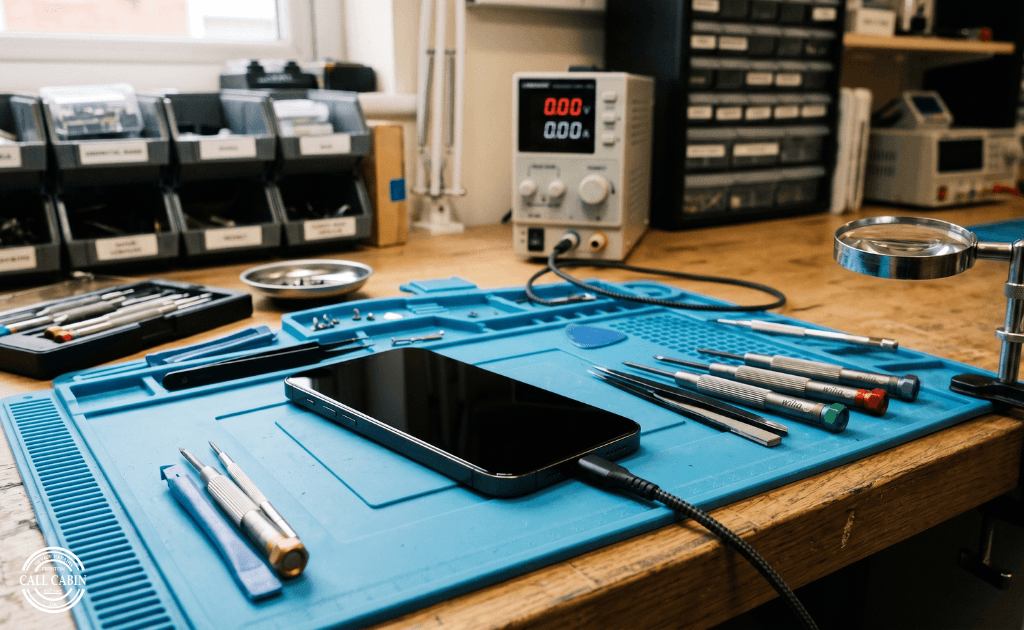
Instead, our technicians use specialised testing equipment to monitor how much electrical current the phone is actually drawing. This instantly tells us if power is reaching the internal battery or getting blocked at the port.
Once we safely open the sealed device using professional heat mats, we visually inspect the internal motherboard. We look carefully for hidden liquid damage, burnt-out microchips, or a disconnected internal battery cable.
If the power cell has simply degraded over time, we will clearly recommend a high-quality phone battery replacement. If the issue is a faulty charging port or a broken screen, we will let you know immediately.
Before we carry out any actual work, we provide a clear and honest quote. We explain exactly what has failed and how much it will cost to fix, ensuring you are never hit with unexpected fees.
You can learn more about our repair process and our strong commitment to providing honest, jargon-free advice to every single customer.
When you approve the quote, we get straight to work. Whether it involves fitting a new display, replacing a power cell, or cleaning internal water damage, we handle your device with extreme care.
Every single phone won't turn on repair is conducted on an anti-static workstation. This safely protects your delicate motherboard from accidental electrical shorts during the fixing process.
We also know that your personal data is often much more valuable than the physical phone itself. We always aim to fix the hardware without ever wiping or accessing your private files, photos, or messages.
Once the new parts are securely fitted, the device is carefully sealed back together. We then run a strict series of final quality checks to ensure the phone charges properly and boots up smoothly.
We thoroughly test the touch screen, the physical buttons, and the power delivery to guarantee everything works exactly as it should before handing the device back to you.
Providing a truly dependable mobile phone repair preston service means delivering total peace of mind. We want you to leave our shop feeling confident that your tech is fully restored.
If you want to see exactly how we can help bring your dead tech back to life, simply view our repair services to find the right solution for your specific model.
Should You Repair or Replace Your Dead Phone?
When your mobile gives up completely, the immediate question is whether it is actually worth fixing. Buying a brand-new handset is incredibly expensive and often completely unnecessary.
In the vast majority of cases, a professional phone won't turn on repair is significantly cheaper than upgrading to the latest model. Replacing a single faulty component usually costs just a fraction of a new phone's retail price.
Choosing to repair your current device also means you get to keep everything exactly as you left it. You bypass the hassle of setting up a new system, logging into countless apps, and worrying about complex dead phone data recovery.
A high-quality repair using premium parts can easily add years of life to a device you already know and love. Modern smartphones are built to last, and a fresh battery or a new charging port often makes them feel brand new again.
Fixing your broken tech is also a fantastic choice for the environment. By choosing to repair instead of replacing, you are actively keeping toxic electronic waste out of our local landfills.
There is rarely a need to spend hundreds of pounds on a replacement when a fast, affordable fix is available right on your doorstep. We believe in helping our community save money while keeping their vital tech running smoothly.
If you are struggling with a lifeless device, we are always here to help you make the smartest, most cost-effective decision. As your dedicated mobile phone repair preston experts, we provide honest advice to all Lancashire residents.
Whether you just need a quick diagnostic check or a full internal repair, you can easily contact our team today to discuss the best way forward.
Alternatively, simply visit our Preston repair shop for a friendly, no-obligation chat with our experienced technicians. We will get your device powered up and back in your hands as quickly as possible.
Related Posts
Phone Battery Replacement Preston | Signs & Repair Cost
Learn when phone battery replacement Preston is needed, what causes fast battery drain, repair options, safety risks and when to replace your battery.
Cracked iPhone Screen Repair | Preston Repair Guide
Need cracked iPhone screen repair? Learn the risks of using a broken screen and when local Preston repair is the safer option for your device.
Water Damaged Phone Repair Preston | Immediate Step Guide
Dropped your phone in water? Learn the immediate steps to take, myths to avoid, and how professional water damaged phone repair in Preston saves your data.
Comments
Share your thoughts. Your comment will appear after review.
